Shardeum Partners With Houdini Swap for Cross-Chain SHM Access
Access SHM across supported networks with Houdini Swap, using Private Swap and No Wallet Connect routes through a single cross-chain...
Access SHM across supported networks with Houdini Swap, using Private Swap and No Wallet Connect routes through a single cross-chain...
Accessing SHM across blockchain networks just got easier.
Shardeum has partnered with Houdini Swap, a popular non-custodial cross-chain swap aggregator, bringing cross-chain swap option for SHM across supported assets and networks.
With support for 100+ chains and 4,000+ tokens, Houdini brings multiple networks, liquidity sources, and swap providers into one interface, simplifying cross-chain swaps without the need to navigate separate exchanges, bridges, or other DeFi tools. It handles the routing and delivers the resulting SHM to the Shardeum wallet address you specify.
For the SHM routes supported, you don’t need to connect your wallet or approve and sign the swap through the Houdini interface. Instead, Houdini generates a deposit address for the order. Once you send the selected asset – for eg., SOL on Solana – to that address from your wallet or exchange, Houdini automatically routes the swap and delivers the resulting SHM to your specified Shardeum wallet.
Let’s look at the two primary routes currently supported:
You can use the Private route to swap crypto assets you hold into SHM. It is Houdini’s privacy-focused cross-chain option.
Under Private route, Houdini automatically routes the transaction through two separate non-custodial exchange providers, using an intermediary asset between them. Because of these additional routing steps, Private Swap may take slightly longer (up to ~30 minutes) and cost slightly more than the ‘No Wallet Connect’ route.
Under the No Wallet Connect route, Houdini routes the swap through a supported exchange provider that receives the source asset, converts it into SHM, and sends the resulting SHM to your Shardeum wallet. Because the route is simpler than ‘Private Swap’, it is typically faster (up to ~15 minutes).
Before you start, make sure you have:
We’ll use USDT (source asset) on ETH (network) for this example
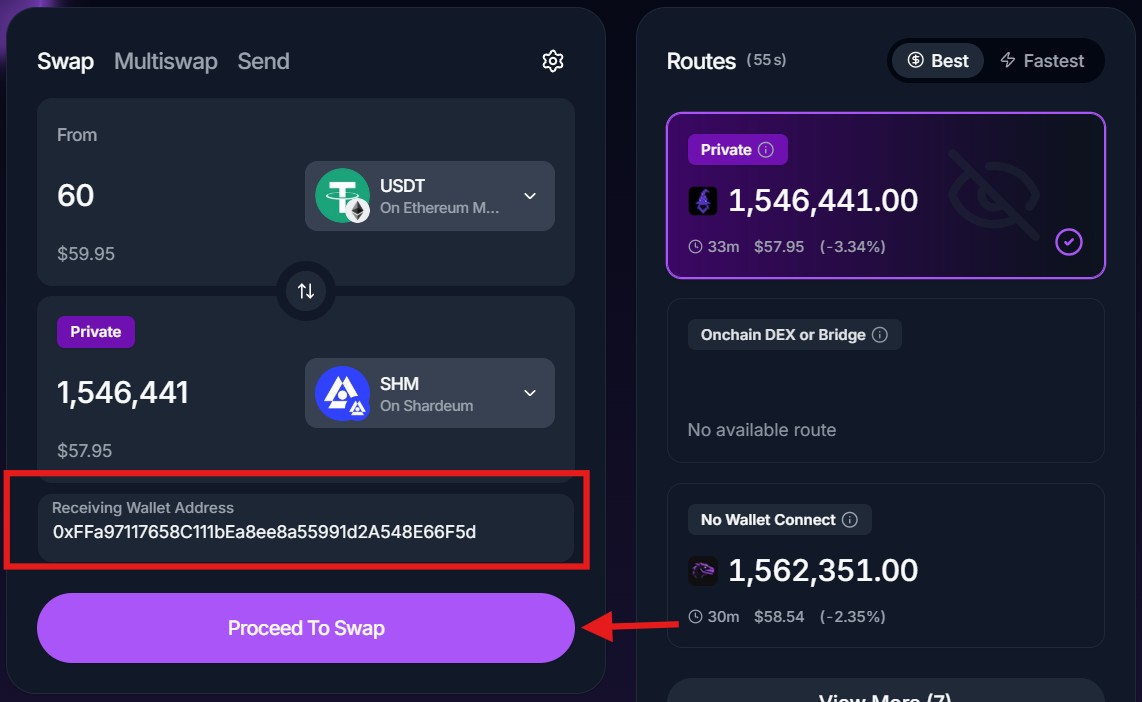
Open Houdini Swap and select the token and network you want to swap from. Then proceed to enter the amount you want to swap. We’ll use 60 USDT for this example. According to the amount we enter, Houdini will display the available routes, estimated SHM output and other quote details. Note: Minimum and maximum amounts vary by pair and route, so always use the limits shown in the current quote.
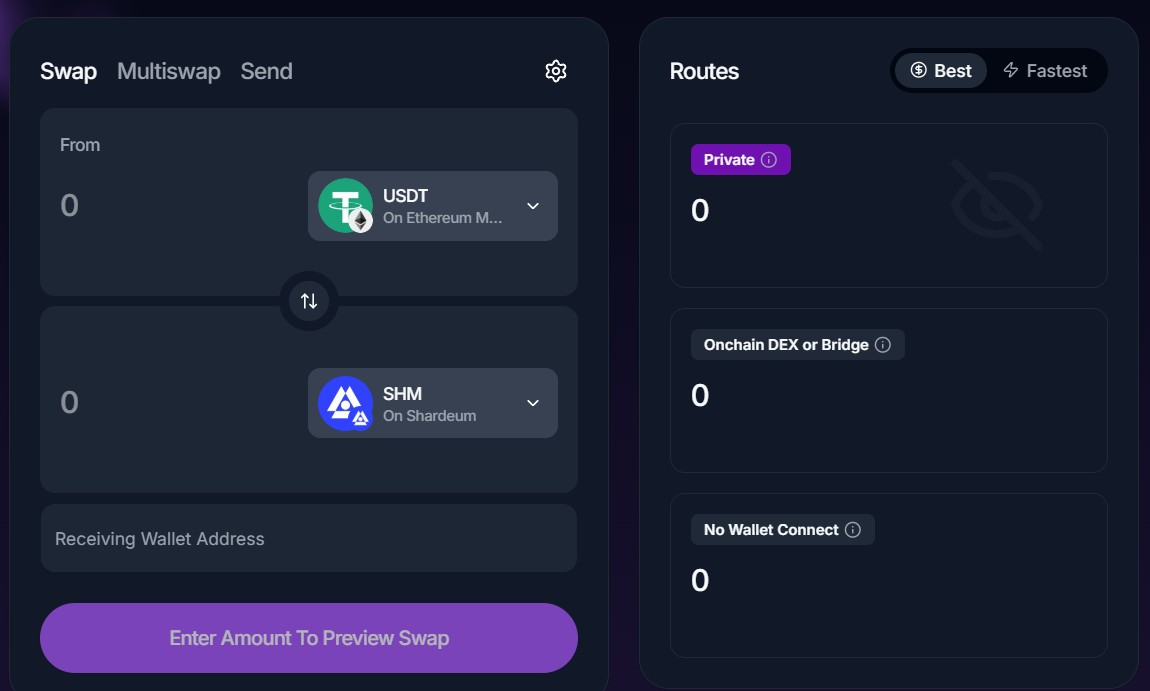
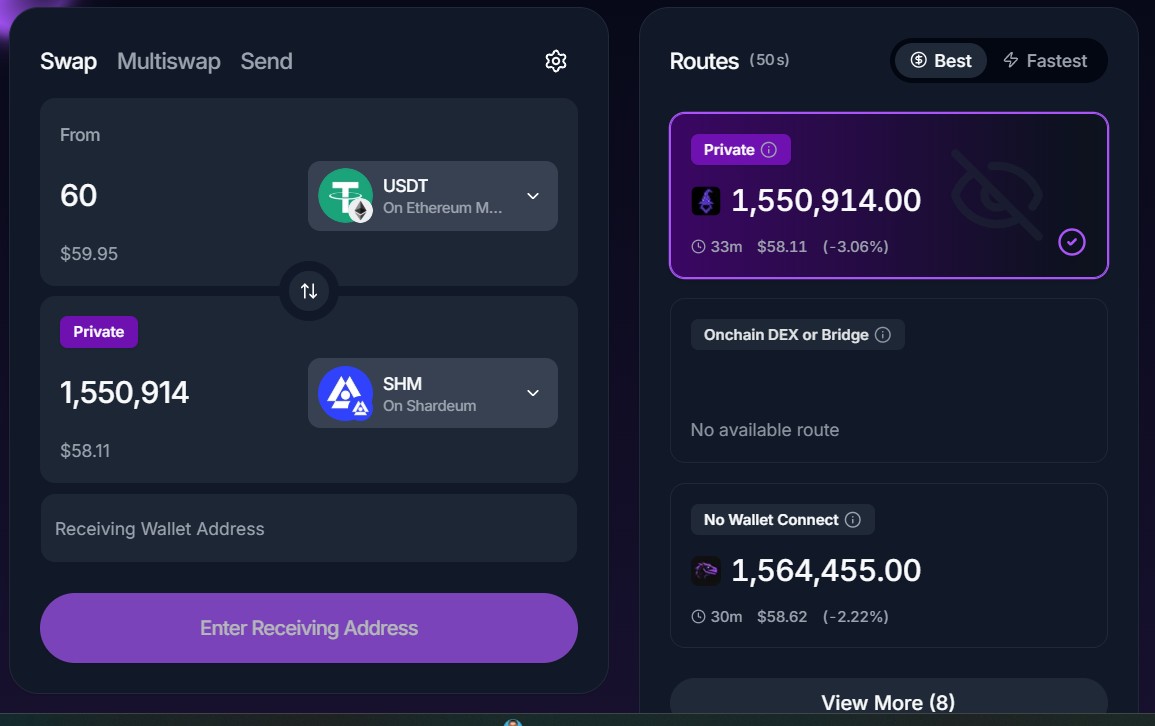
Enter the Shardeum wallet address where you want to receive SHM. Double-check the address before proceeding. Note: Changing the destination may not be possible later.
After you enter the receiving address, click on Proceed to Swap button. Houdini will generate a deposit address for the order as shown in the second screenshot.
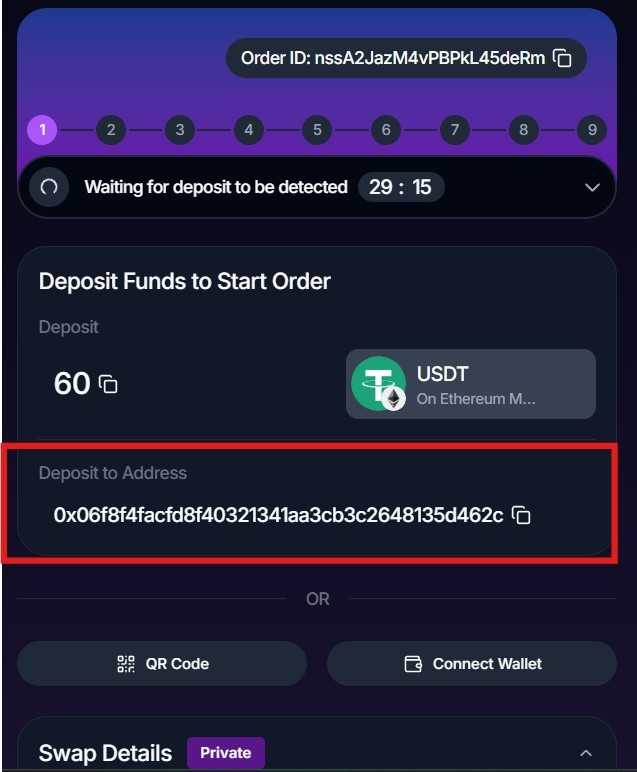
Send the specified asset (USDT in this example) from the wallet or account where you hold it (here, MetaMask), using only the network selected when creating the swap (Ethereum in this case).
Make sure you send the funds before the deposit window expires, which is about 30 minutes for this order. After you select Continue, approve the transaction in your wallet.
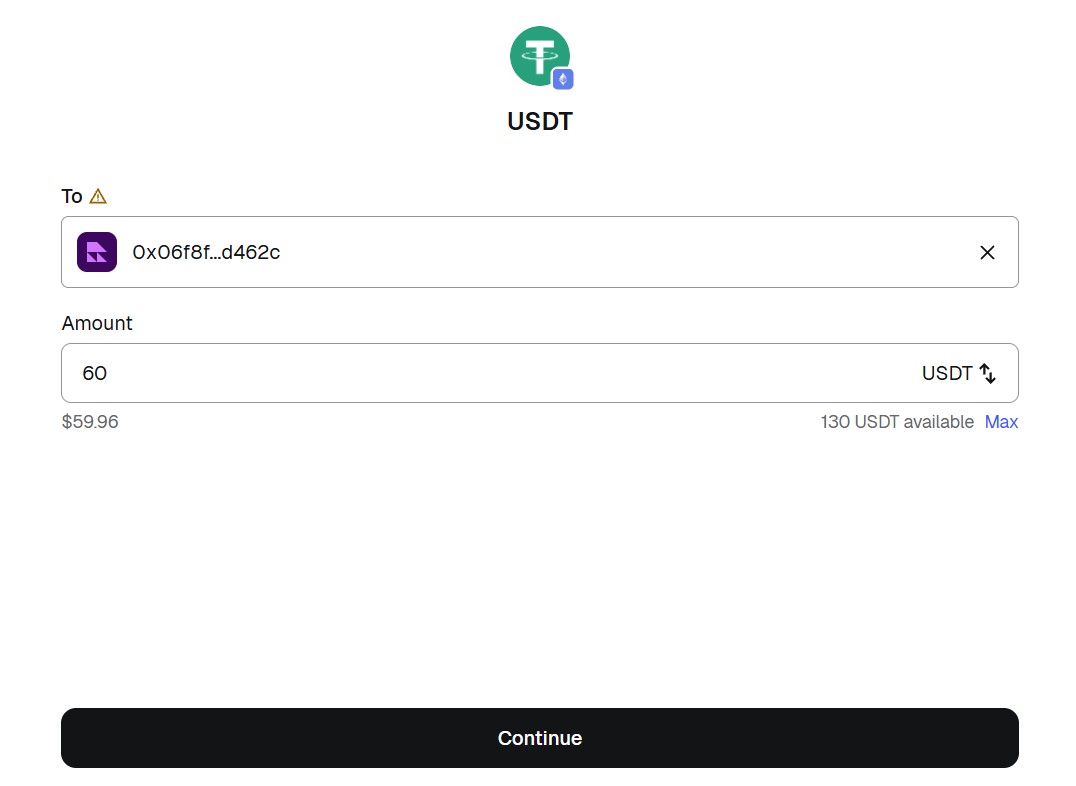
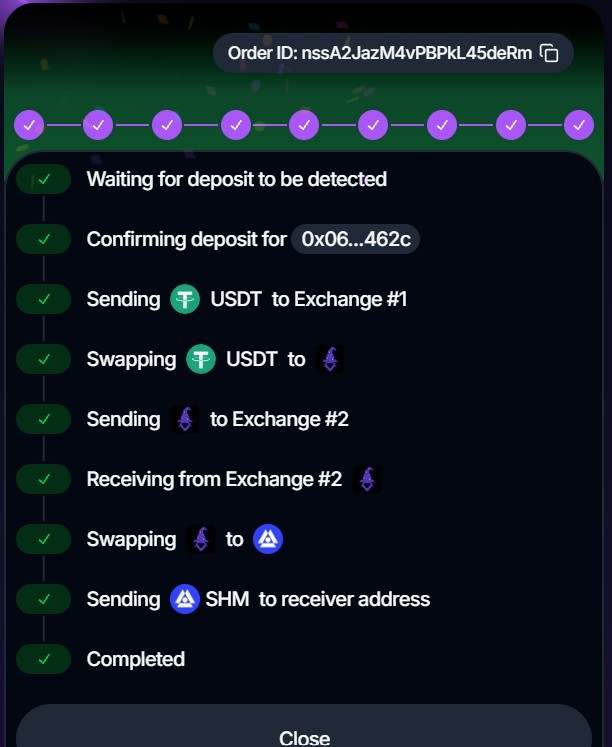
Once the deposit is detected, Houdini begins processing the swap through its Private Swap route. You can follow the order status until the transaction is complete and SHM is delivered to your Shardeum address.
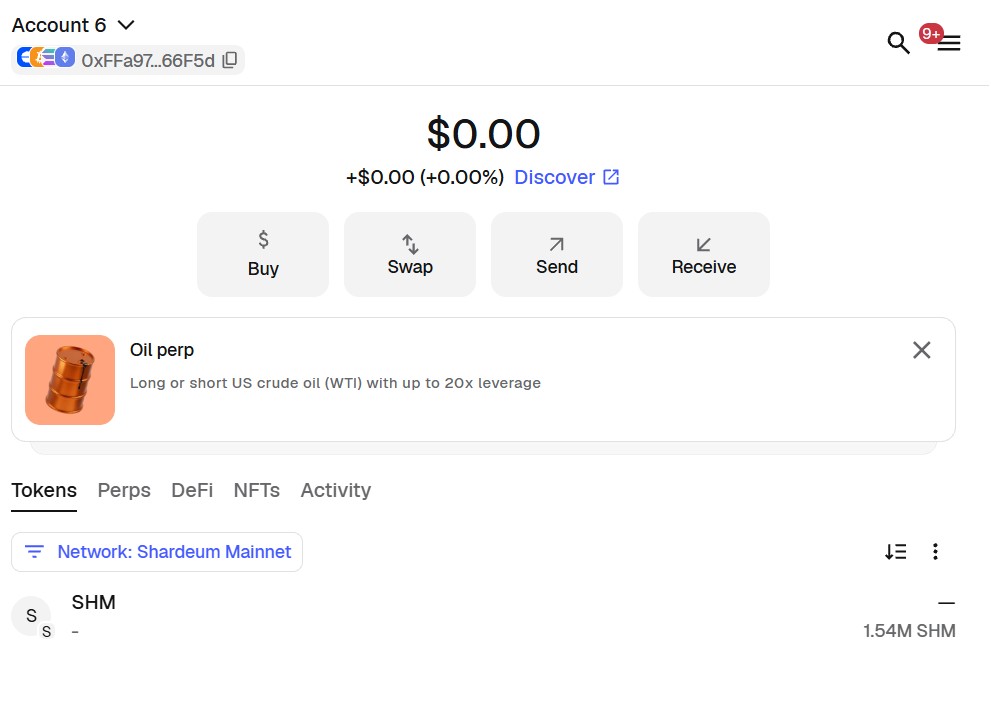
The initial setup is the same: choose your source token and network, select SHM on Shardeum, enter the amount and provide your Shardeum receiving address.
From the available routes, choose No Wallet Connect and review the quoted output and transaction details before continuing. Houdini generates a unique deposit address for the swap.
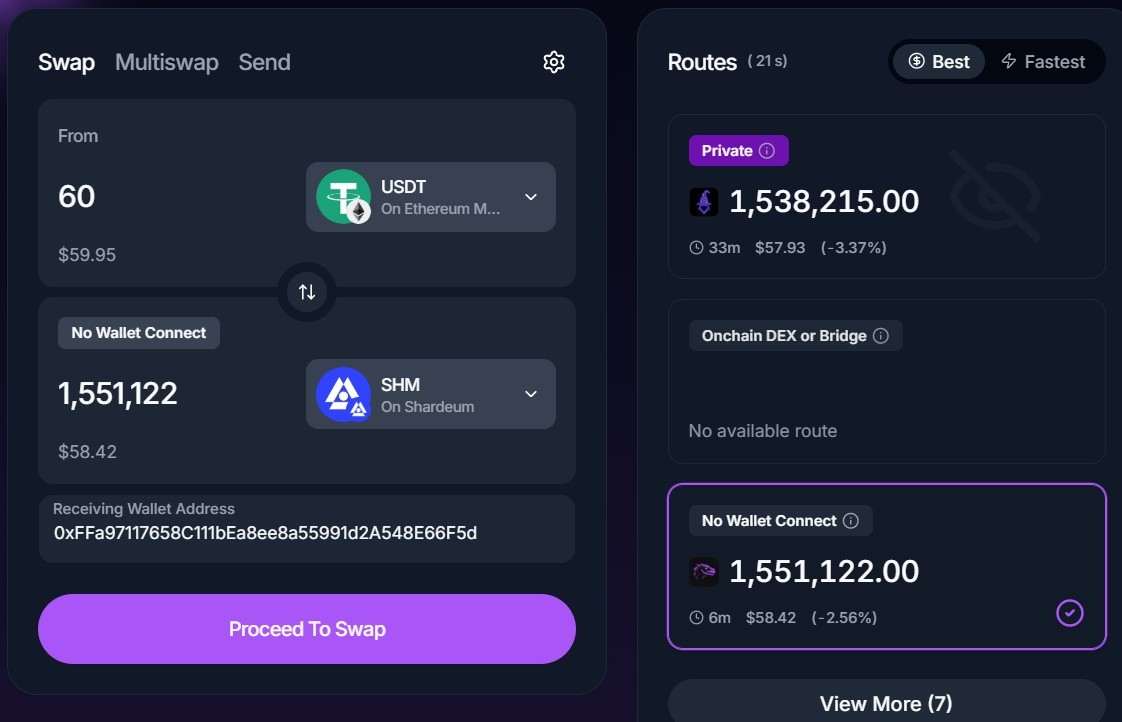
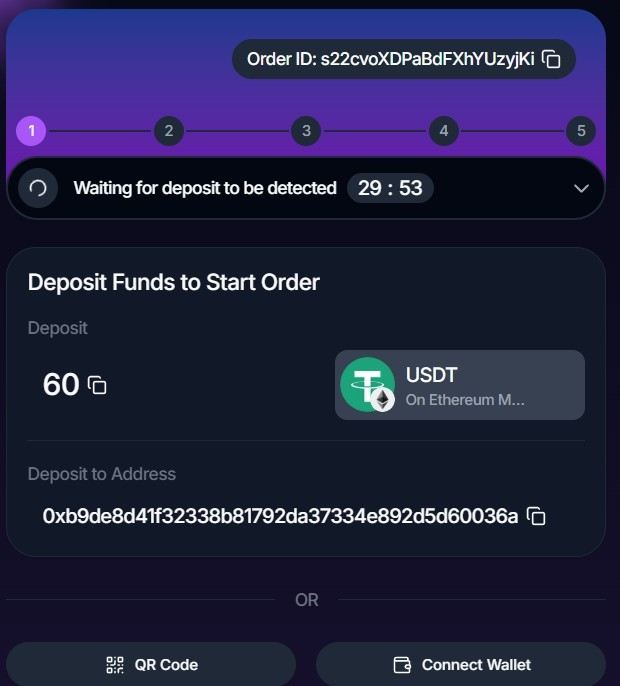
Send the specified source asset to the deposit address using the exact network selected for the order.
The source can be a supported self-custody wallet, hardware wallet or exchange that allows you to send the selected asset and network. After you select Continue, approve the transaction in your wallet.
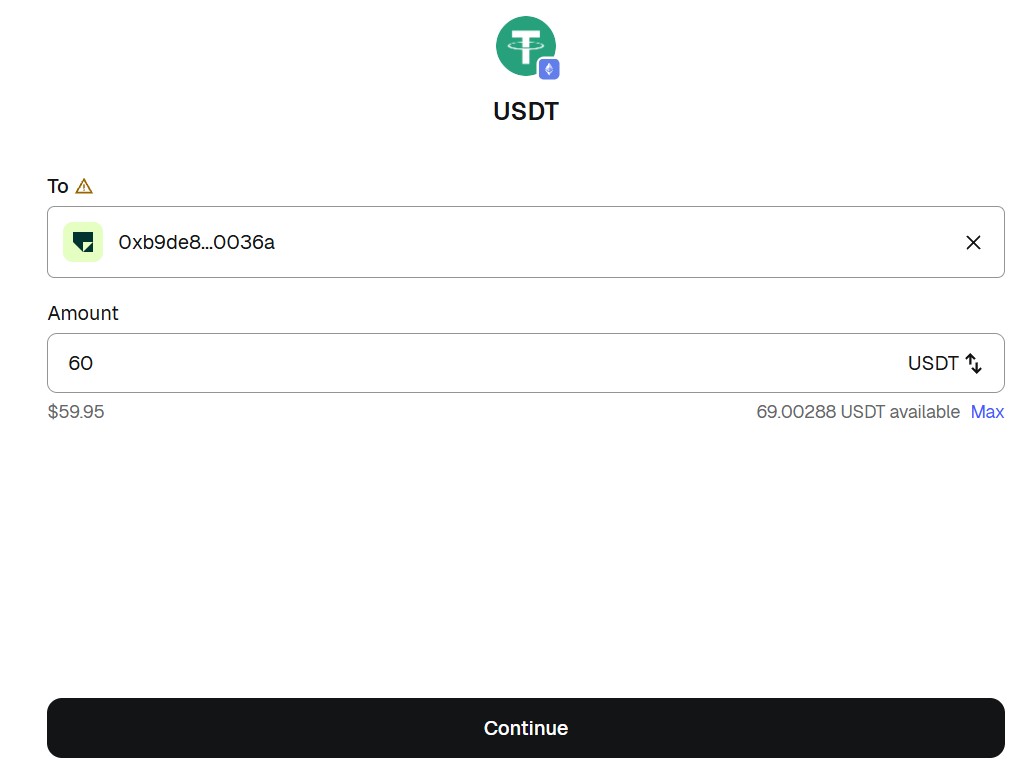
Once the deposit is received and processed through the selected route, SHM is sent to the Shardeum receiving address you entered. You can track the order until it shows as completed.
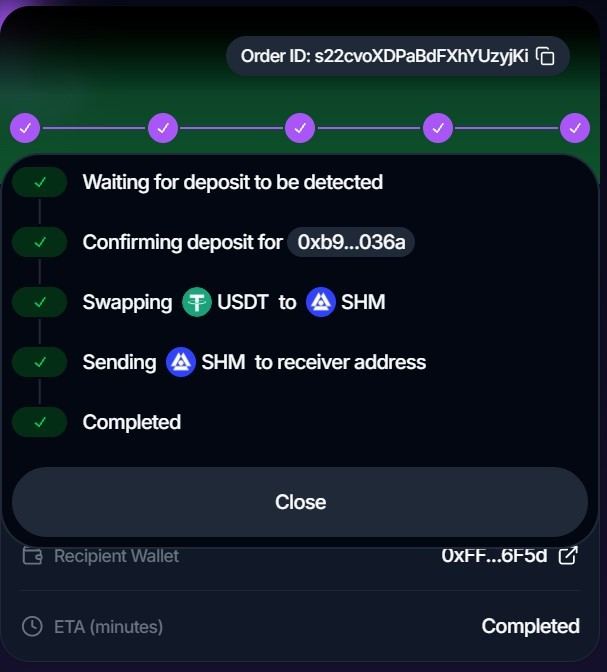
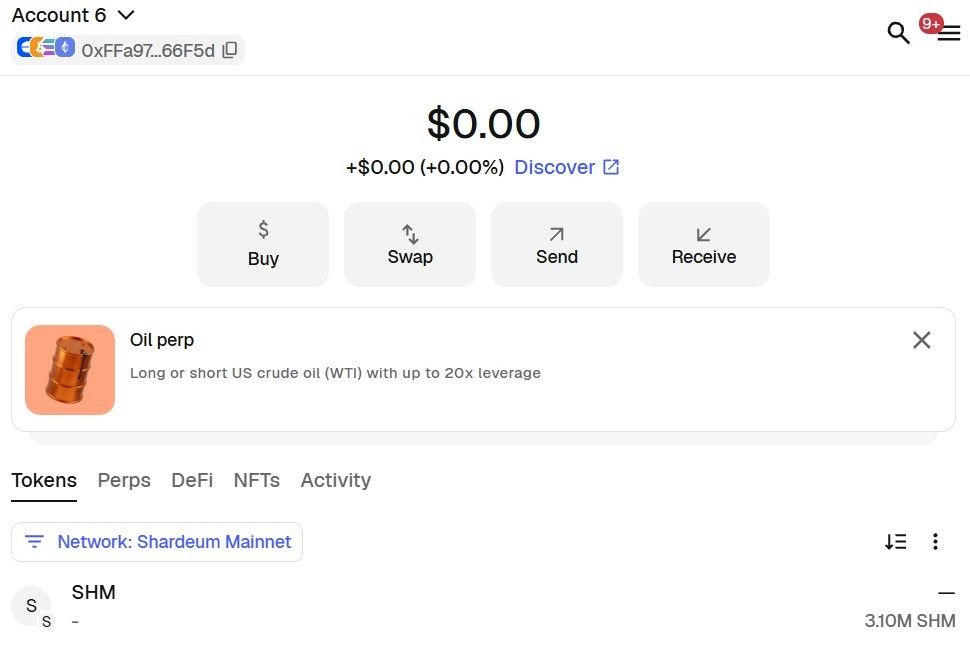
Beyond regular cross-chain swaps, Houdini also offers tools like Multiswap, which lets you create multiple swap orders for different receiving addresses in a single flow – useful for distributions and multi-wallet transfers.
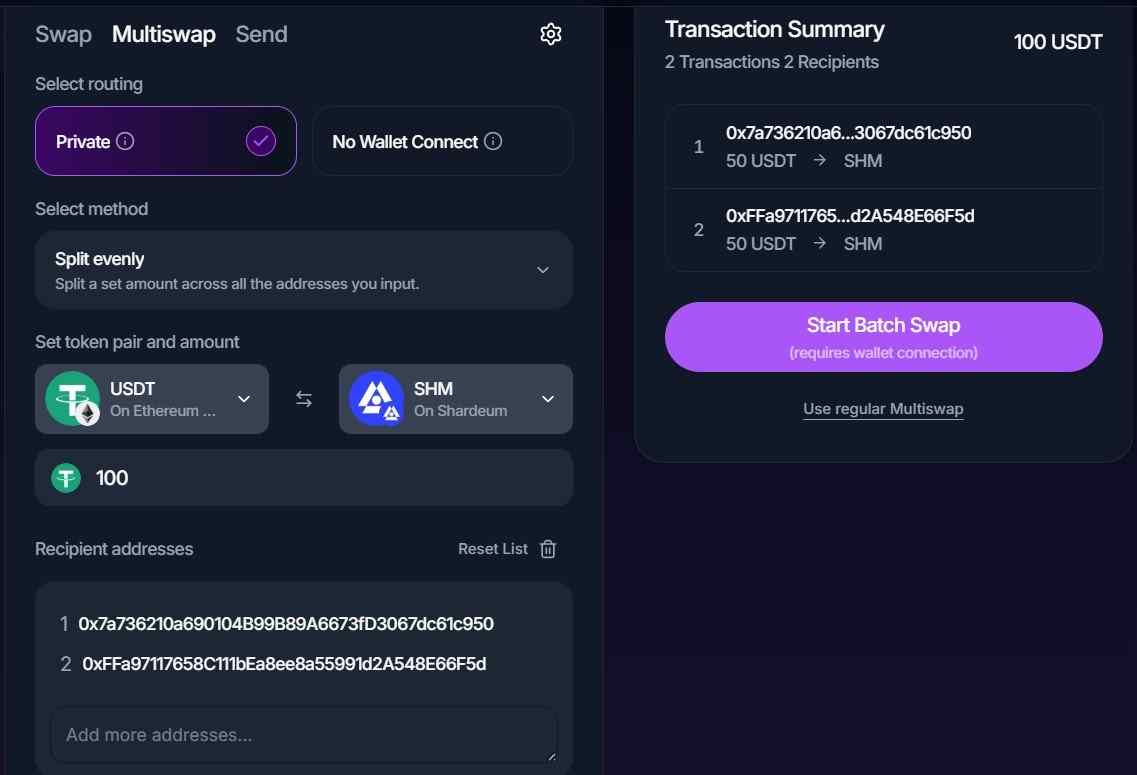
HoudiniPay and Private Send are additional ways to use Houdini. Availability of these additional features depends on the asset, network, and route, so check the live interface before proceeding.
Before sending funds:
For issues involving a Houdini Swap order, contact Houdini Swap Support through the help widget on its website or its official Telegram support bot.
Houdini recommends providing your order ID and transaction hash when requesting support.
What is Houdini Swap?
Houdini Swap is a non-custodial cross-chain swap aggregator. It routes swaps through supported exchange providers, decentralized exchanges, bridges and other routing infrastructure depending on the asset pair and selected route.
What does the Shardeum integration with Houdini allow me to do?
Users can swap supported assets into SHM, or swap SHM into supported assets, when an appropriate route is available on Houdini Swap.
Can I swap any token from any network into SHM?
Houdini supports more than 100 chains and 4000 tokens across its platform, however availability depends on the specific source token, network, amount and available providers.
Enter your desired pair in Houdini Swap to see the routes currently available.
Do I need to connect my wallet?
Not to Houdini for Private Swap or No Wallet Connect. Both use a deposit-address flow.
You may still need to use and authorize your source wallet to send funds to the deposit address generated for the swap.
Houdini’s Onchain DEX or Bridge routes, when available, require a wallet connection to Houdini platform because the transaction must be approved and signed onchain.
Is Houdini Swap a bridge to Shardeum?
Houdini is not a Shardeum-native bridge. It is a cross-chain swap aggregator that connects users to available routes for swapping supported assets into and out of SHM.
That means users can access SHM across networks through a single interface, even without navigating separate bridge infrastructure themselves.
Available routes depend on the selected asset pair and are shown directly in Houdini.
What is the difference between Private Swap and No Wallet Connect?
From a user standpoint, both work similarly: you don’t need to connect your wallet to Houdini. You receive a deposit address, send the selected asset, and receive SHM at your specified Shardeum address.
The main difference is in the routing, which can result in different execution times and costs. Private Swap uses additional providers and routing steps to reduce the direct onchain link between the sending and receiving wallets. No Wallet Connect uses a simpler route that is generally faster and lower cost.
Houdini can also support Onchain DEX/Bridge routes for some asset pairs on its platform, depending on network and route availability.
What is the minimum amount required to swap SHM?
Currently, the minimum is ~60 USDT equivalent for both Private and No Wallet Connect swaps.
Limits can vary by asset pair, network, and route, so always check the minimum shown in the live Houdini quote before starting a swap.
What happens if I send the wrong token or use the wrong network?
Recovery may not always be possible. If this happens, contact the Houdini Support listed above immediately with your order and transaction details.
Where can I swap SHM?
Swap SHM here
Disclaimer: The blog announcement is informational. The tutorial added is for users who voluntarily choose to participate. Always DYOR. Shardeum Foundation does not endorse or guarantee the partner’s products, services, or offerings mentioned in this announcement. Use of the Shardeum blockchain, its technology, or any related software is at your own risk. Shardeum Foundation and its affiliates are not liable for any direct, indirect, incidental, or consequential losses arising from such use.
Shardeum partners with Tokenscape to introduce interactive gameplay that helps users explore Web3 tokens through simple, skill-based...
Mint human-readable .shm domains on Shardeum with ZNS Connect and get ready for use cases like simple name-based payments and on-chain...
Shardeum EVM mainnet is live with smart contracts, low fees, and full Ethereum compatibility - becoming the first L1 blockchain to drive Web3 adoption in...